

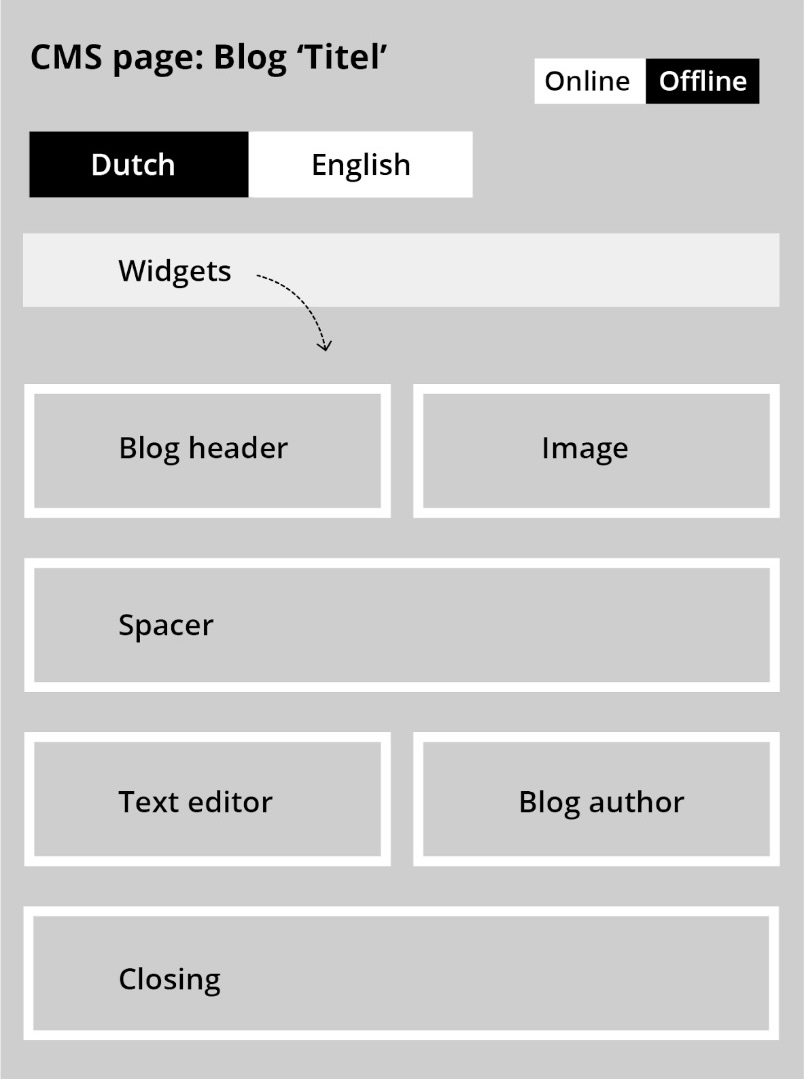
A Content Management System (CMS) is a software application that allows users to create, manage, and publish digital content. Users do this by creating web pages filled with text, images, videos, and more. A CMS is easy to use and does not require in-depth technical knowledge. To the right, you can see an example of what a CMS page of a blog might look like. This page consists of widgets that have been placed in the correct position and filled with text and images.
There are various standard content management systems that are used for websites and webshops. Examples include WordPress and Joomla, which can be integrated with your platform. An alternative is to choose a custom platform where the provider has developed their own CMS as part of the platform. An example of this is CloudSuite. CloudSuite provides an integrated CMS system in the solution, which has the advantage that you do not need to purchase a bulky CMS.
There are various people who use a CMS. However, marketers and editors use this system the most in most companies. They are responsible for ensuring that the website or webshop contains the correct information. They create informative web pages, including news articles and blogs. This is done within the CMS.
A CMS offers several advantages. It is user-friendly because no technical knowledge is required to use the system. The CMS is also fast and flexible; content can be quickly edited and published. Furthermore, multiple users with different permissions can work in the CMS simultaneously. Most systems are regularly updated, which means that the capabilities continue to grow. However, the downside is that users sometimes need to relearn how everything works. Additionally, every CMS has its limitations, despite the updates. Some users have requirements for their platform that a particular CMS cannot meet.
The CloudSuite CMS system is an example of a system created by an e-commerce company. This system works with a drag-and-drop editor. You can select a widget, such as a text widget, and drag it to the location on the page where you want it. The CloudSuite CMS is designed for webshops, which means that in addition to content pages like blogs, shop pages with product listings can also be created. For the more advanced user, this CMS offers the option to edit pages via HTML code as well. This way, for example, forms can be added.
The CloudSuite eCommerce platform has been developed from an API-first strategy. This means that you exchange real-time data between a third party and CloudSuite. Therefore, you are always looking at up-to-date data, anytime and anywhere.

 EN
EN
 German
 Dutch
Dutch
